

HeartSave myPAD Device Description
Chapter 5 - Equipment Structure and Function Description
This device is an automated external defibrillator (AED) that integrates a single-channel electrocardiogram (ECG). The ECG is recorded via electrodes. When a rhythm requiring defibrillation is detected, the device delivers an electric shock to restore the heart rhythm.
5.1 General Instructions
Two types of product models are provided: semi-automatic and fully automatic. The characteristics of each model are detailed in the table below.
semi-automatic model
| Defibrillation mode | Model | Impact button | LCD screen | touchscreen |
|---|---|---|---|---|
| Heart saves myPAD | 670 | No | No | No |
| 671 | yes | No | No | |
| 675 | yes | yes | No | |
| 678 | yes | yes | yes |
Fully automated model
| Defibrillation mode | Model | Impact button | LCD screen | touchscreen |
|---|---|---|---|---|
| Heart saves myPAD | 670A | No | No | No |
| 671A | No | No | No | |
| 675A | yes | yes | No | |
| 678A | yes | yes | yes |
myPAD uses a battery and electrodes. See Chapter 5.2 for details.
The myPAD is designed for safe and quick use in emergencies. The device is powered by a non-rechargeable (Battery 3C) or rechargeable (Battery 3G, optional) lithium battery.
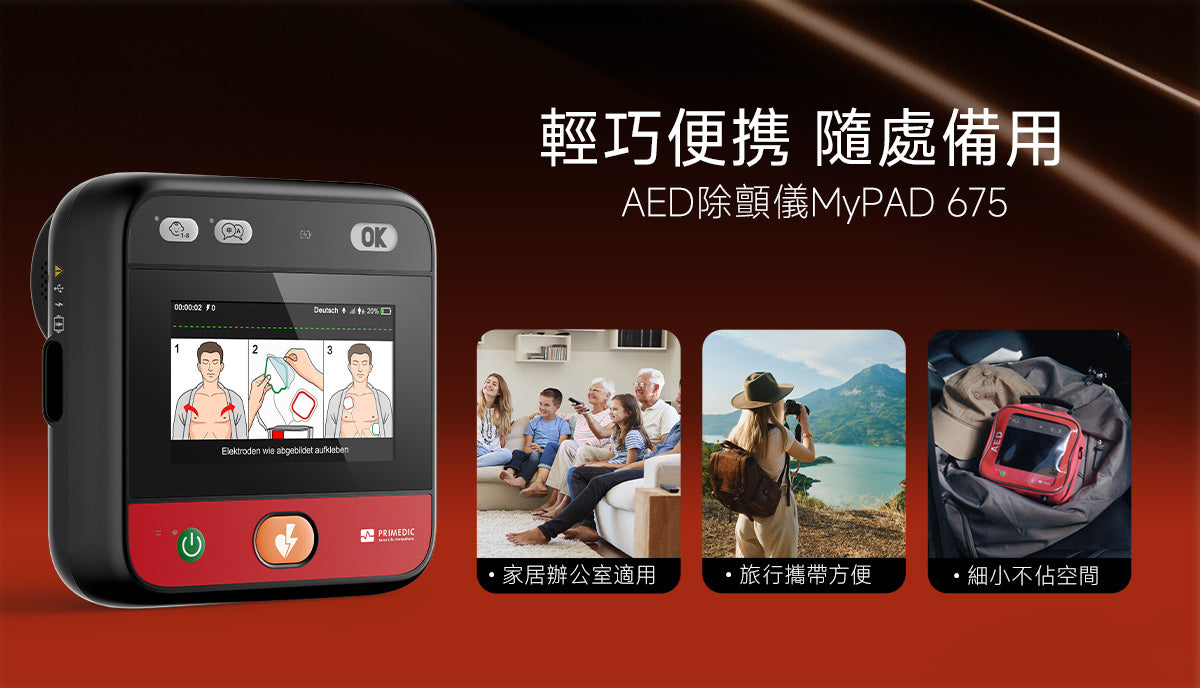
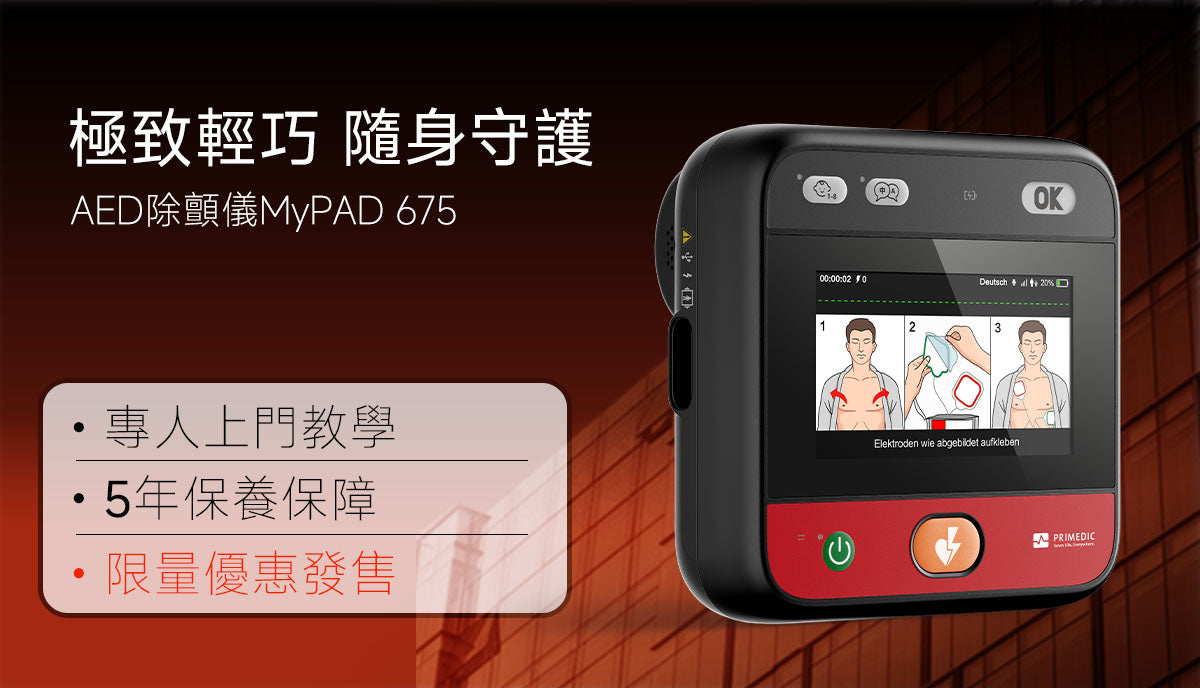
5.2 Equipment Description

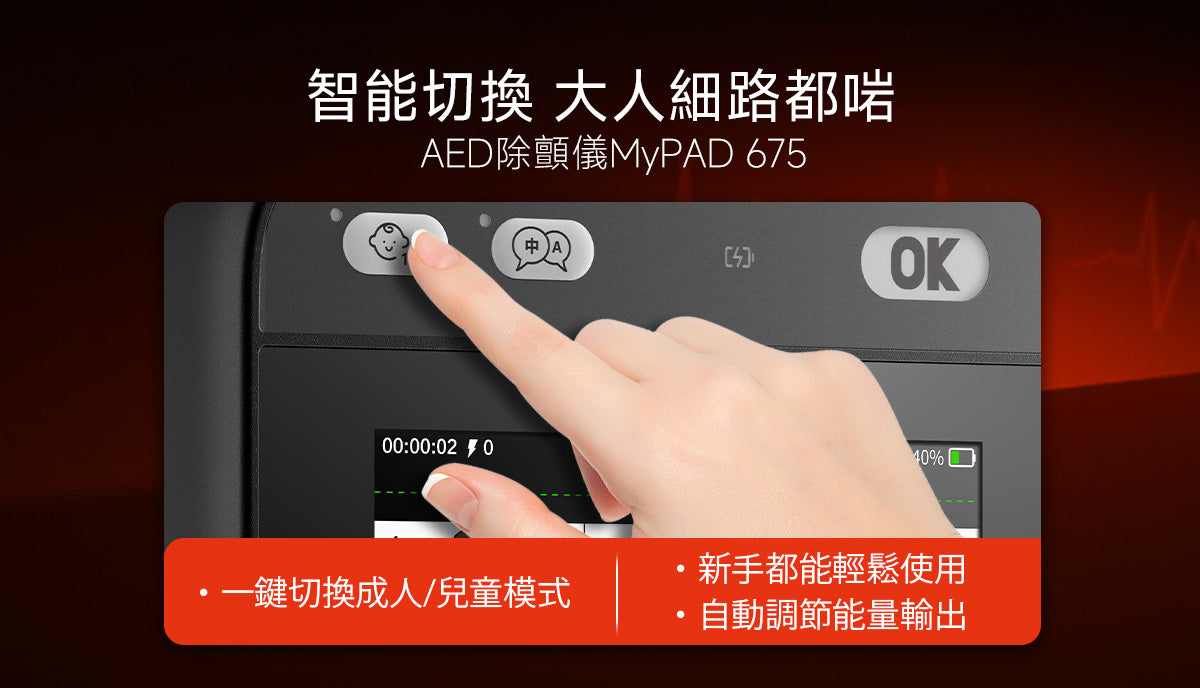
- Switch Switch
- Device operation indicator light
When the indicator light is green: The device is turned on and ready for operation. - Electrode placement indicator
- Electrode Placement Guide
- Sub-button
- Language button
- Charging indicator light (only applicable to rechargeable batteries)
When the battery is low, the charging indicator light flashes red. When the battery is charging, the indicator light flashes yellow-green. When the battery is ready to run or fully charged, the indicator light shows yellow-green and does not flash. - Status display
- Non-contact patient indicator
- Impact button (only applicable to semi-automatic devices)
- LCD/touchscreen display (if available)

- speaker
- Electrode socket (with USB Type-C for data transfer and firmware updates)

- Charging socket
5.3 Status Display
The table below lists the possible status displays and their meanings.
| show | significance | Actions to be taken |
|---|---|---|
 |
Normal state | The equipment is ready for use. |
 |
Indicates a possible error or during self-testing. | - The equipment may be ready for use in an emergency. - It's time to replace the battery. - Insert the battery. - Plug-in electrode. - Replace the electrode. - If an internal error occurs, please contact the service department. |
Errors may occur.
The following error messages may result in an "X" appearing in the status display.
| reason | Is it possible to use? | step |
|---|---|---|
| Electrode not connected | Yes, the equipment is ready for use. | Connect the electrodes. |
| The battery is almost empty. | Yes, the device can deliver at least six 200J shocks. | The device displays a low battery warning via voice prompt. The battery can be used until it is completely depleted. |
| Battery empty | No, the equipment is not ready to be used yet. | The device will automatically shut down after a voice prompt indicates that the battery is empty. |
| Internal error | No, the equipment is not ready to be used yet. | An internal error will be indicated via voice prompt. The device will then shut down automatically. |
Note: If the battery is low, the status display will show...
A warning message appears when the device is turned on, along with the following voice prompt:
Low battery. Please replace the battery if possible. If no replacement is available, please continue using the device.
5.4 Display Content
This chapter describes the display content of models equipped with LCD or touch displays.
5.4.1 Defibrillation Instructions

LTE connectivity (only applicable to devices equipped with LTE)
Bluetooth connectivity (only applicable to devices equipped with Bluetooth)
5.4.2 CPR Guided Display


5.4.5 Battery Capacity Indication
| Indicative meaning | Actions to be taken | |
|---|---|---|
 |
Battery full capacity | Battery ready for use |
 |
Battery capacity 20%-100% | Battery ready for use |
 |
Battery capacity 10%-19% | If possible, please replace/recharge the battery. |
 |
Battery capacity 0%-9% | Replace/recharge the battery immediately |

Leave a comment
This site is protected by hCaptcha and the hCaptcha Privacy Policy and Terms of Service apply.